Description
n8n-nodes-dreem


This is an n8n community node. It lets you use Dreem in your n8n workflows.
Dreem is an AI-powered image generation platform for e-commerce, enabling you to create professional model shots and product shots from simple product images.
n8n is a fair-code licensed workflow automation platform.
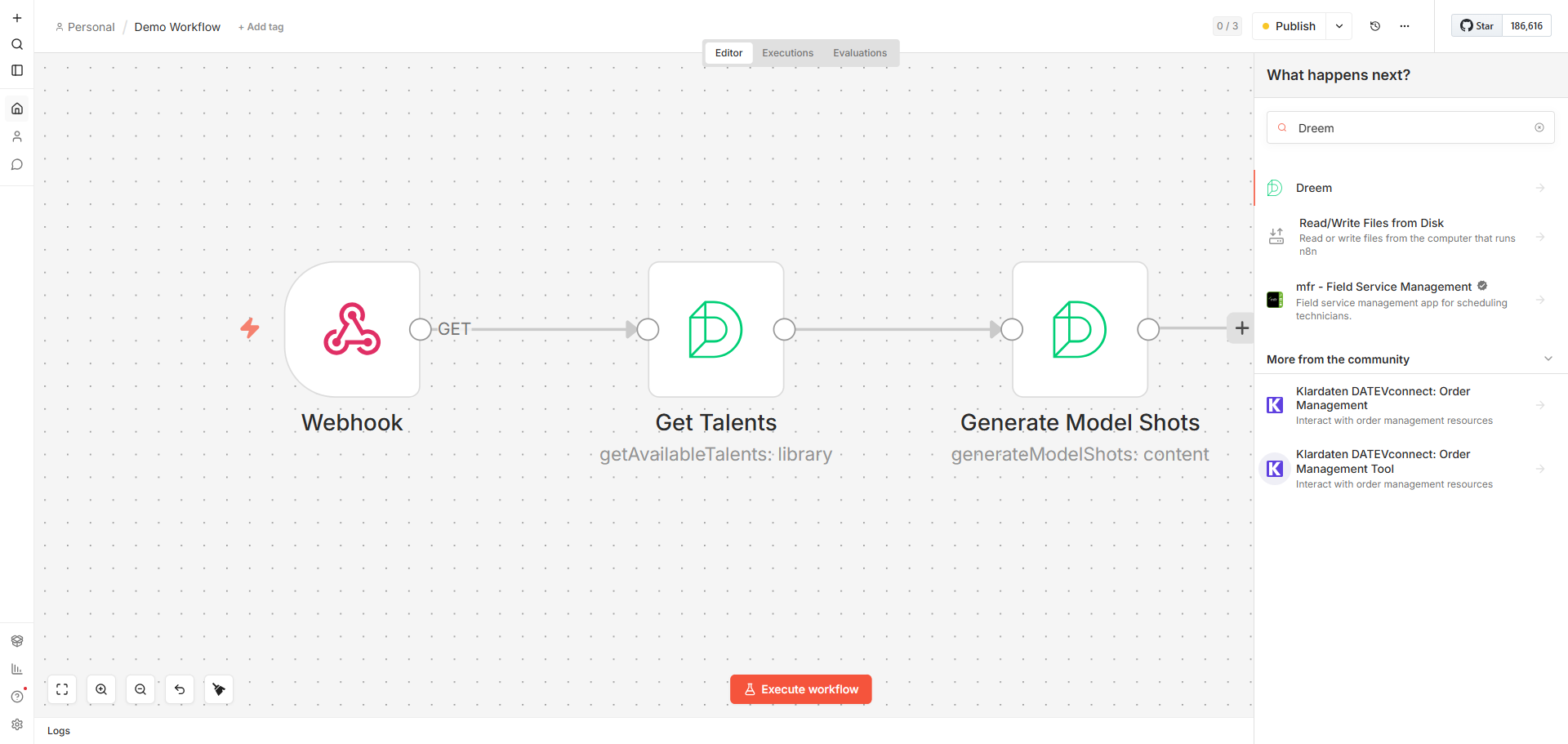
!Dreem node in an n8n workflow
Installation
Operations
Credentials
Compatibility
Usage
Resources
Version history
Installation
Follow the installation guide in the n8n community nodes documentation.
Operations
Generative Content
- Generate Model Shots — Try your product on different AI models and shots. Requires a talent (AI model), shot selection, and at least one product image. Supports optional back and styling images.
- Generate Product Shots — Generate clean, studio-style product shots. Requires shot selection and at least one product image.
- Generate Video — Convert a product image into an animated video. Requires an image URL, duration (5s or 10s), and output aspect ratio (1:1, 3:4, or 9:16). Optionally select a motion prompt from the library or provide custom text.
- Get Available Talents — List all available AI models for virtual model generation. Supports filtering by gender and keyword search.
- Get Available Shots — List all available shots for image generation. Supports filtering by shot type and keyword search.
- Get Video Prompts — Browse available video animation prompts for video generation. Supports filtering by gender, keyword search, and pagination.
- Search Talents — Semantically search AI models from a free-text brief, e.g.
scandinavian blonde 20s. Requires a gender (Male or Female). - Search Shots — Semantically rank shots (poses) against a free-text brief, e.g.
confident walking full body. Returns the top matches ordered by relevance rather than catalogue order, with optional shot type and gender filters. - Search Video Prompts — Semantically rank video motion prompts against a free-text brief, e.g.
slow orbit around the product. Gender is required and acts as a hard filter. - Get Status — Check the status of a generation task by its request ID.
- OAuth2 — Connect via OAuth2 (PKCE). Pre-configured for standard n8n usage with selectable permission scopes (Full Access, Generation Only, Read Only, or Custom).
- API Key — Authenticate with an API key issued by Dreem. Generate one from your Dreem dashboard under Settings → API Management. The key starts with
dreempk. - n8n community nodes documentation
- Dreem documentation
- 0.1.0 — Initial release with model shot generation, product shot generation, video generation, library browsing (talents, shots, video prompts), and task status tracking.
All generation operations support configurable output format (PNG/JPEG for images), aspect ratio, and an optional webhook callback URL for receiving results asynchronously.
Library
The three Search operations return the top matches (1–20) ordered by semantic relevance. Leaving the keyword empty returns the newest entries instead of a ranking.
Task
Credentials
This node supports two authentication methods:
Compatibility
Tested with n8n v1.x. Requires n8n Nodes API version 1.
Usage
1. Add the Dreem node to your workflow.
2. Select an authentication method and configure your credentials.
3. Choose a resource (Generative Content, Library, or Task) and an operation.
4. For generation operations, provide product image URLs and select your desired shots.
5. Generation is asynchronous — use the Task → Get Status operation with the returned request ID to poll for results, or provide a webhook URL to receive results automatically.