
Description
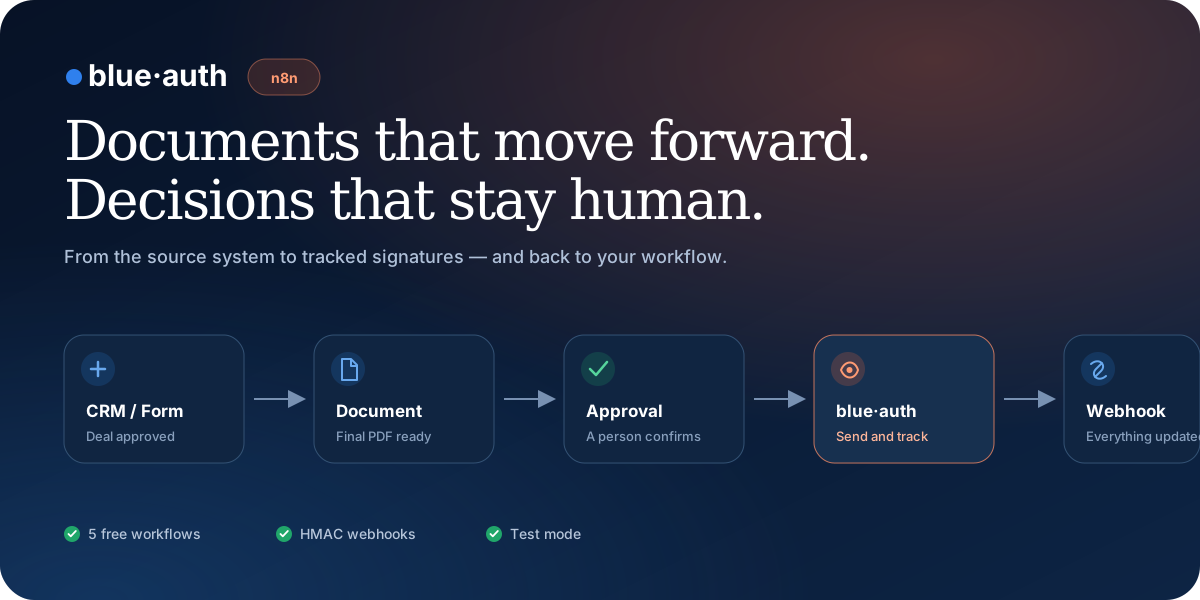
blue·auth for n8n
Send documents for signature, track every signer, and return the result to your workflow while keeping a person in control of approval.


Get started in three minutes
1. In n8n, open Settings → Community Nodes → Install.
2. Search for and install n8n-nodes-blueauth.
3. Create a blue·auth API credential with a batest… key.
4. Add the blue·auth node to your workflow and choose an operation.
For a self-hosted installation:
npm install n8n-nodes-blueauth
Create a test key at blueauth.co/g/developer/api-keys. The default base URL is https://blueauth.co/api/v1.
What you can automate
| Operation | Purpose |
| — | — |
| Send for Signature | Creates a request with a PDF, signers, signature zones, and a webhook |
| Self-Sign | Applies an electronic signature for an authorized internal participant |
| Get Status | Returns each signer’s progress and the final request status |
| Resend Invitation | Resends signer access without creating another request |
| Create CMD Batch | Prepares between 2 and 100 PDFs for signing with Portugal’s Digital Mobile Key (CMD) |
| List and Get CMD Batches | Tracks pending and completed batches and their documents |
| Retry CMD Batch | Returns a new secure link to continue signing failed documents |
| Rotate CMD Batch Link | Replaces an expired session link without exposing a PIN or OTP |
| blue·auth Trigger | Receives sent, signed, declined, cancelled, expired, and completed events |
Ready-to-import workflows
You can also import a workflow and use n8n’s built-in HTTP Request node before installing the community node.
| Workflow | Result | Download |
| — | — | — |
| Dynamic document | Receives a PDF and signers through a webhook and returns the created request | Import JSON |
| Signature management | Gets status, resends invitations, and updates the source process | Import JSON |
| Real-time events | Receives webhooks and validates their HMAC signature | Import JSON |
| Electronic self-signing | Automates signatures for authorized internal participants | Import JSON |
| CMD batch | Prepares 2–100 PDFs for the secure CMD flow | Import JSON |
Example workflow
Deal approved in the CRM
  → generate or receive the PDF
  → human approval
  → blue·auth: send for signature
  → blue·auth Trigger: signature.completed
  → store the signed PDF and update the CRM
The webhookUrl field connects a request to the production URL of the blue·auth Trigger. When webhookSecret is set, the trigger validates X-BlueAuth-Signature with HMAC before passing the event to the workflow.
Secure by design
> [!IMPORTANT]
> Always start with a batest… key. Never place a Portuguese Digital Mobile Key PIN or OTP in an n8n node, prompt, webhook, or variable. Those values are entered only on the secure blue·auth signing page.
- Credentials are stored by n8n’s credential system.
- The API uses
Authorization: Bearer. - Webhooks support HMAC validation and timing-safe comparison.
- Place write operations after explicit human approval.
- Describe a signature as qualified only when it was completed through the dedicated CMD flow.
- Legal teams: onboarding → approved draft → signature → matter archive.
- Startups: closed deal → NDA, proposal, or contract → updated CRM.
- Small businesses: supplier contract → internal approval → signature → Drive or ERP.
- Human resources: onboarding → employment contract → reminders → stored final document.
- AI + n8n: an agent prepares the document → a person reviews it → blue·auth sends it.
Ideas for your workflows
Development
npm install
npm run build
npm audit
This package contains only the public n8n integration. The blue·auth application and backend remain private.
Links
—
AI creates. blue·auth signs. n8n keeps everything moving.


