
Description
n8n-nodes-microlab-prep
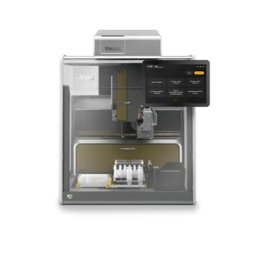
This is an n8n community node package. It lets you control a
Hamilton MicroLab Prep (NimbusLite) liquid handler from your n8n workflows
via the instrument’s onboard REST API.
n8n is a fair-code
licensed workflow automation platform.
Installation
Credentials
Nodes & operations
Compatibility
Resources
Installation
Follow the
community nodes installation guide
in the n8n documentation.
In n8n: Settings → Community Nodes → Install, then enter the package name:
n8n-nodes-microlab-prep
Credentials
The nodes authenticate against the instrument’s onboard REST API with a single
credential type, MicroLab Prep API:
| Field | Description |
| ——– | ———————————————————————————————– |
| Base URL | HTTP base URL of the instrument, no trailing slash (e.g. http://192.0.2.10). |
| Username | Instrument API username. |
| Password | Instrument API password. Stored encrypted; masked in the UI and never exported in workflow JSON. |
> Transport is plain HTTP with no TLS. Credentials cross the lab network
> unencrypted, so use these nodes only on a trusted internal subnet. The node
> exchanges the username/password for a short-lived JWT at request time; the
> token is never persisted to workflow JSON.
Create one credential per instrument.
Nodes & operations
MicroLab Prep (action node)
The action node exposes five resources — Run, Protocol, Run Data,
Instrument, and Errors. Operations marked Destructive change
instrument state or physically move it, and carry an in-editor warning notice.
#### Run
| Operation | Notes |
| — | — |
| Create | Starts a protocol run (only from a fully idle instrument). Simulate and Recompile toggles, plus opt-in Enable Worklist (below). Destructive. |
| Get State | Reads the current run state, decoded to a human-readable name; includes progress (currentStep) and ETA (estimatedEndTime). |
| Get Load Instructions | Reads deck-loading instructions for the current run. |
| Load Complete | Confirms the deck is loaded and starts pipetting. Destructive. |
| Pause | Pauses a running protocol. Destructive. |
| Resume | Resumes a paused run. Destructive. |
| Abort | Aborts the running protocol; the instrument returns to Idle. Destructive. |
| Cleanup | Post-run deck cleanup (after a normal finished real run). Destructive. |
| Submit Hit-Pick File | Submits a hit-pick worklist to a run step (before Create). Destructive. |
| Submit Reagent From File | Submits a reagent-from-file worklist. Destructive. |
| Submit Normalization File | Submits a normalization worklist. Destructive. |
| Get Normalization File Errors | Reads validation errors for a submitted normalization worklist. |
| Submit Barcodes | Submits deck barcodes for a run. Destructive. |
| RTSA | Runtime sample assignment for a step. Destructive. |
| Get / Set Simulation Speed | Reads / sets the simulation speed (Slow … Ludicrous). Set is Destructive. |
Enable Worklist (on Create): when enabled, Create submits a hit-pick worklist
to the protocol’s HitPickingStep (auto-detected, with an optional manual **Step
ID override) before** starting the run. Provide the worklist as either a
structured array of {sourceSite, sourceWell, targetSite, targetWell, volume}
rows or a ready CSV string with the header
SourceSite,SourceWell,TargetSite,TargetWell,Volume.
#### Protocol
| Operation | Notes |
| — | — |
| List | Lists protocols available on the instrument. |
| Get | Reads a single protocol by ID (includes its steps). |
#### Run Data
| Operation | Notes |
| — | — |
| List | Lists all run-data records. Choose a Summary (id + key metadata) or Full projection. |
| Get | Reads a single run-data record by its UUID. |
| Get PDF | Downloads the run-data report PDF as a binary property. |
| Get Pipetting CSV | Downloads the pipetting-detail CSV; fails with a clear message when the record’s pipetteDataAvailable is false. |
Each record exposes a stable normalized runDataId (derived from the wire id)
alongside the raw fields.
#### Instrument (read-only)
| Operation | Notes |
| — | — |
| System Ready | Server / firmware / auth readiness — a preflight before starting a run. |
| Global Run State | Instrument-wide run state. |
| Sensor Status | Door, enclosure, fan, home, and channel sensor states. |
| Door State / Has Tips / Is Parked | Individual safety/status reads. |
#### Errors
| Operation | Notes |
| — | — |
| Check Pending Errors | Lists unhandled pending errors. |
| List | Lists instrument errors (paged via offset/limit). |
| Get | Reads a single error by ID. |
| Answer Runtime Error | Responds to a runtime-error dialog (e.g. Retry). Destructive. |
| Clear Errors | Clears pending errors. Destructive. |
Numeric run-state values are decoded into human-readable names in the output, with
the raw values passed through unchanged. A non-2xx status — or a truthy hasError
flag on an HTTP 2xx response — is treated as a failure (honoring **Continue On
Fail**).
MicroLab Prep Trigger (polling trigger)
Fires a workflow when a protocol run changes state. Coarse polling of the
protocol-run state, with three optional transition filters (with none enabled,
every transition is emitted):
- On Load Ready — emits when the run enters Loading (state 20).
- On Finished — emits when the run enters CleanupPending (state 45), the
- On Aborted — emits when an active run returns to Idle (state 0).
- Requires n8n with Node.js
>=22. - Built and tested against
n8n-workflow@2.22.x. - Targets the Hamilton MicroLab Prep (NimbusLite) onboard REST API over plain
- n8n community nodes documentation
- Hamilton MicroLab Prep
real-run finish signal, and **enriches the item with the finished run’s
runDataId and summary so a downstream Run Data → Get PDF / Get Pipetting
CSV** can retrieve the report directly. A simulated run never reaches state 45.
> Simulate mode caveats. A simulated run does not return the REST run-state to
> Idle — it stays at Running with isRunInProgress: false once finished (treat
> isRunInProgress: false, not state 0, as the sim-completion signal). **Abort
> idles the run but does not dismiss the simulation view**; use the instrument’s
> on-screen Stop to close a simulation.
Compatibility
HTTP with JWT (username/password) authentication.


