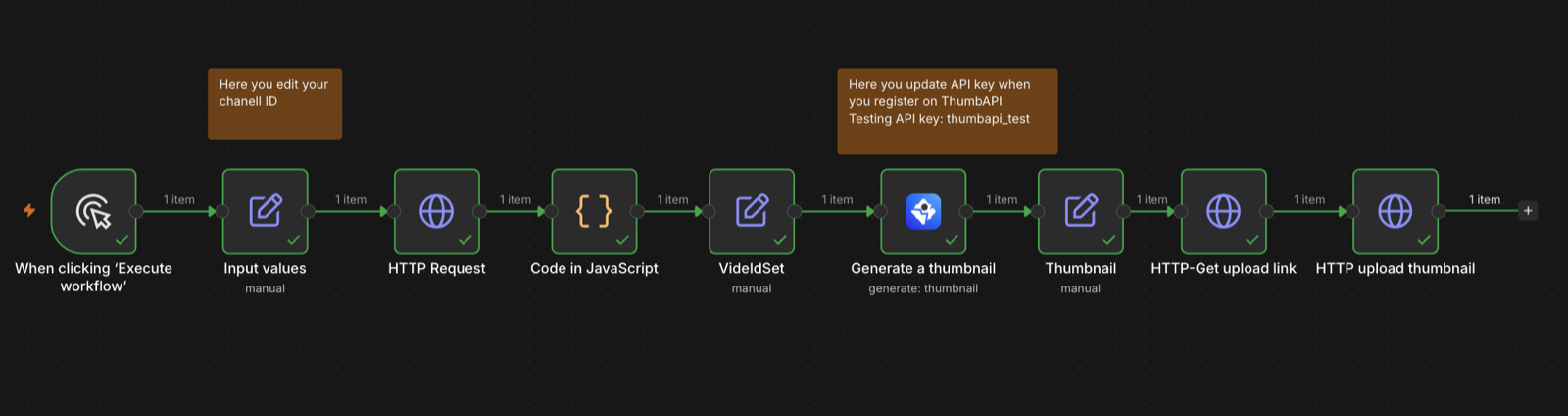
Description
n8n-nodes-thumbapi
n8n community node for ThumbAPI — generate platform-ready thumbnails for YouTube, Instagram, X / Twitter, blog posts, and LinkedIn from a title in a single API call.
Installation · Usage · Operations · Credentials · Example workflow · Compatibility · Resources
—
What it does
Send a title, get back a finished thumbnail. No template design, no SDK lock-in, no manual editing. The node:
- Outputs to YouTube (1280×720), Instagram (1024×1024), X (1200×675), blog post (1200×630), LinkedIn (1200×627)
- Supports personal photo overlay (face in the scene) and logo overlay (brand in the corner) — saved once in the dashboard, used by reference
- Supports custom reference datasets for brand-consistent style across content
- Returns the image either as a base64 data URI in JSON or as n8n binary data ready to be saved, uploaded, or piped into the next node
Installation
From the n8n UI
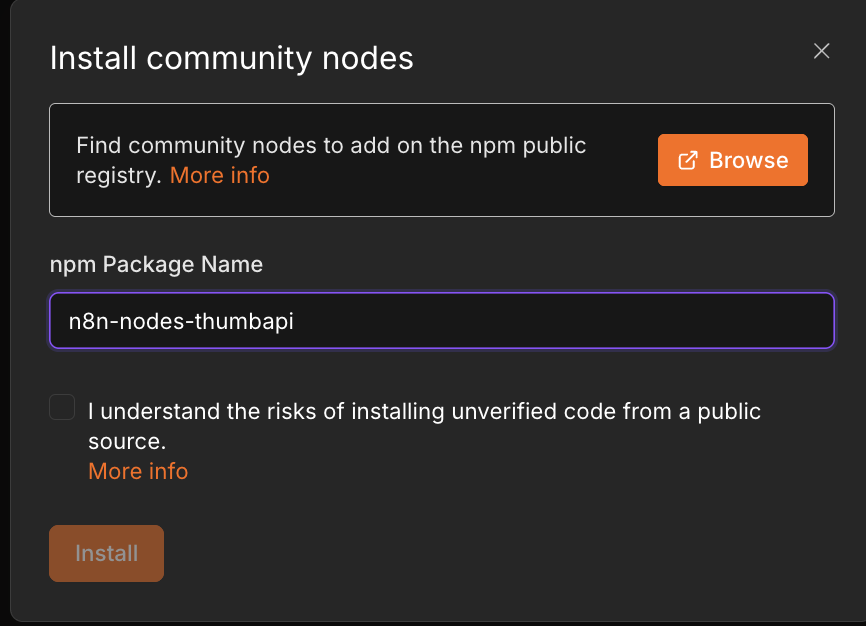
1. Open n8n → Settings → Community Nodes
2. Click Install
3. Enter n8n-nodes-thumbapi
4. Accept the risks notice → Install
!n8n Community Nodes install dialog with n8n-nodes-thumbapi entered as the package name
The ThumbAPI node will appear in the nodes panel.
From npm (self-hosted)
npm install n8n-nodes-thumbapi
Then restart n8n.
Usage
1. Add the node
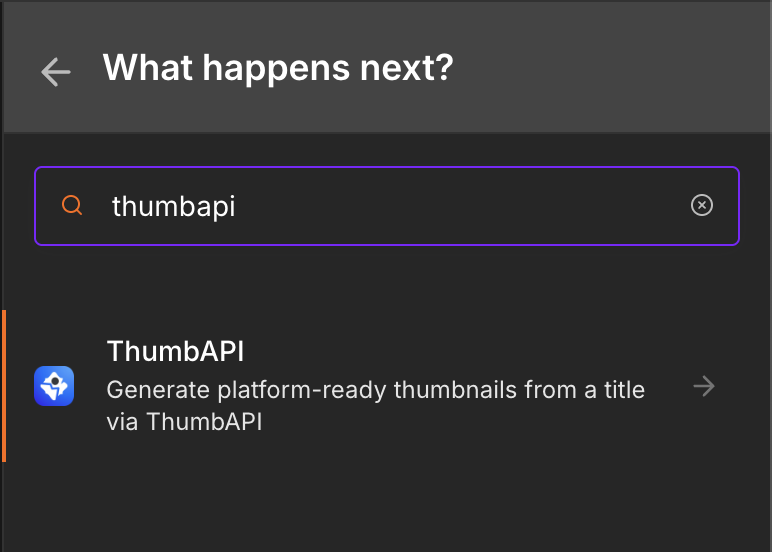
Click + on the canvas and search for thumbapi.
!n8n node panel with thumbapi typed into the search box, showing the ThumbAPI node
2. Configure and run it
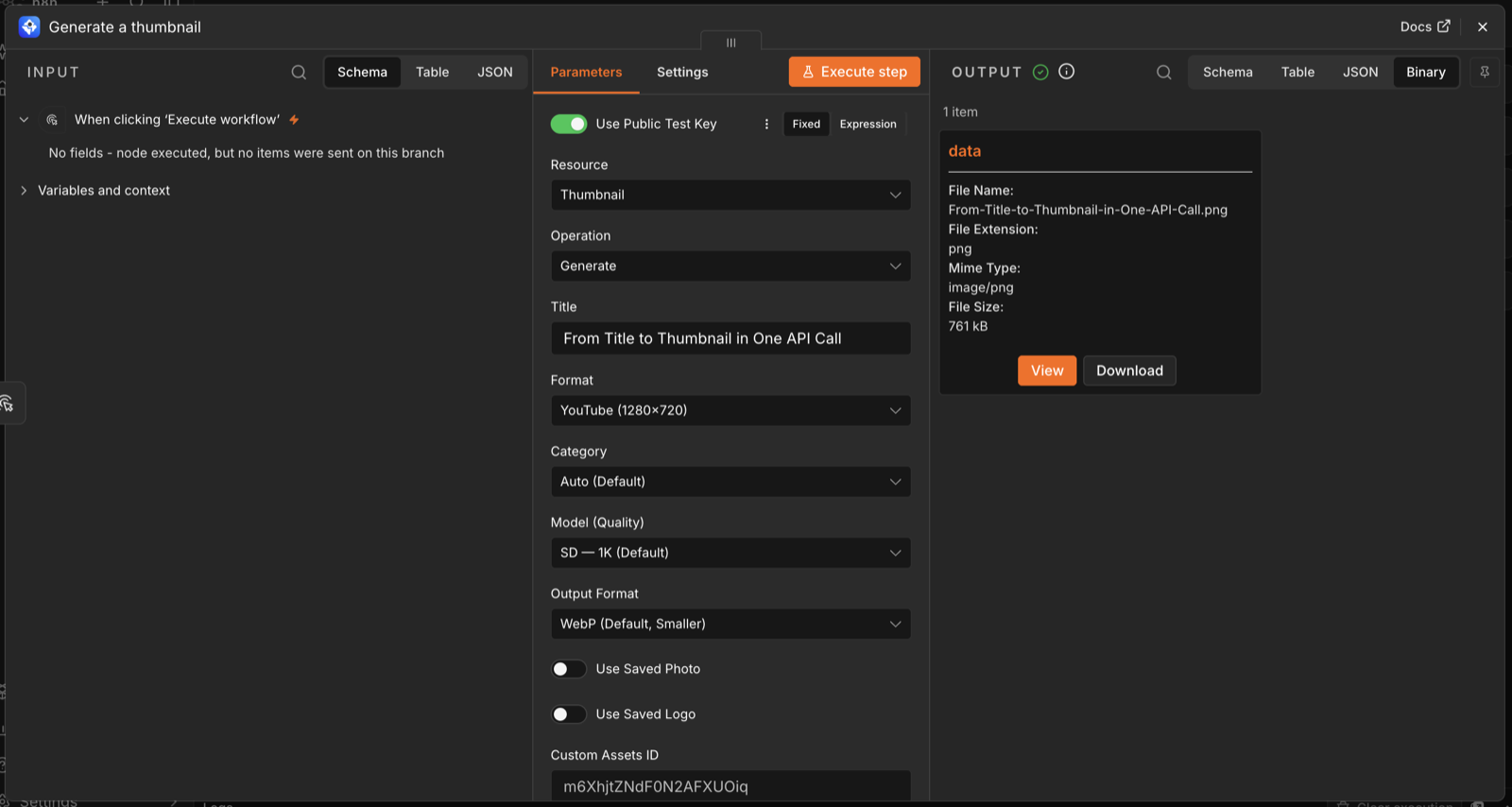
Set Resource to Thumbnail, Operation to Generate, type a Title, and pick a Format. Everything else has a sensible default.
To try it without an account, switch on Use Public Test Key at the top of the panel — the node then calls the API with the public thumbapi_test key, which returns a static placeholder image and consumes no credits.
Click Execute step. In under two seconds the output panel shows the result — switch to the Binary tab to preview or download the image.
3. Pipe it downstream
With Put Output In Binary enabled (the default), the image is attached to the output item as binary data under the data property. Any node that accepts a file just works:
ThumbAPI: Generate  →  Google Drive: Upload
                    →  AWS S3: Upload
                    →  HTTP Request: PUT (multipart)
                    →  Send Email: Attachment
                    →  YouTube: Update thumbnail
Output shape
Every output item carries this JSON alongside the binary:
| Field | Always | Notes |
|—|—|—|
| format | yes | The platform the image was rendered for. |
| outputFormat | yes | webp or png. |
| generationId | yes † | ID of the generation in your dashboard library. |
| imageUrl | no † | Public CDN URL of the finished image — embed or download it without touching base64. |
| image | only with binary output off | The base64 data URI. |
† Both are returned for real API keys. imageUrl appears once the generation has been archived to the CDN. The public test key returns a static image and neither field.
To work with the raw base64 data URI instead of binary, turn Put Output In Binary off — the item then carries image in place of the attachment.
4. Make it dynamic
The Title field accepts n8n expressions, so it can come from any upstream node:
{{ $json.title }}
That is all a production pipeline needs — an RSS, Airtable, Sheets, or Webhook trigger feeding titles in, and a storage or publishing node taking images out.
Credentials
You need a ThumbAPI account and an API key.
1. Sign up at thumbapi.dev — the free tier gives you 50 credits per month, no credit card required
2. Copy your key from the dashboard → API Setup. Keys start with yt_ followed by 32 hex characters.
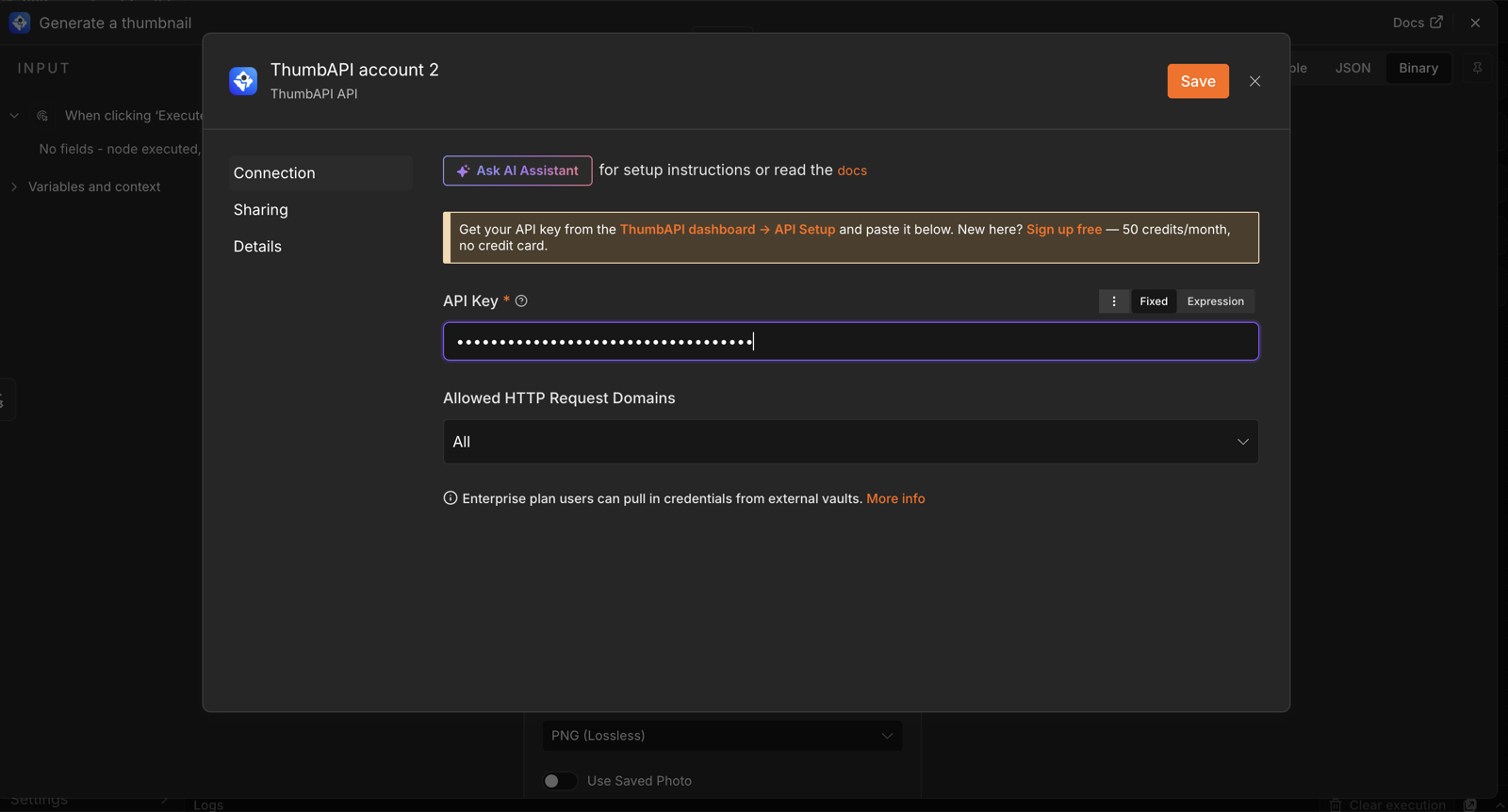
3. In n8n, create a new ThumbAPI API credential and paste the key
!ThumbAPI API credential setup in n8n with the API Key field filled in
The credential has a built-in connection test — click Save and n8n verifies the key against the live API before you run anything.
Testing without a real key
Use the public test key thumbapi_test to verify the integration, either by pasting it into the credential or by enabling the Use Public Test Key toggle on the node. It returns a static placeholder image and does not consume credits.
Operations
Thumbnail → Generate
Calls POST https://api.thumbapi.dev/v1/generate.
| Field | Required | Notes |
|—|—|—|
| Title | Yes | The text on the thumbnail. Max 200 chars. Accepts expressions. |
| Format | Yes † | youtube, instagram, x, blogpost, linkedin. |
| Category | No | Niche bias (tech-saas, business-finance, education-tutorial, etc.). Default auto. |
| Model (Quality) | No | sd = 1K (10 credits, default), hd = 2K (20 credits, Pro+ plans). |
| Output Format | No | webp (default) or png. |
| Use Saved Photo | No | Include your saved Personal Photo as main subject. +2 credits. |
| Use Saved Logo | No | Overlay your saved Logo in the corner. +2 credits. |
| Custom Assets ID | No | ID of a saved reference dataset. Style is cloned at 80–100% fidelity. +2 credits. |
| Inline Photo / Logo | No | Override saved assets with a per-request base64 image. |
| Put Output In Binary | No | When on (default), the returned image is decoded and attached as binary data on the output item under the configured property name. |
† Format is required in the normal case, but it is ignored when Custom Assets ID is set — the reference dataset then determines the dimensions.
Credit cost
| Operation | Credits |
|—|—|
| Base 1K render (sd) | 10 |
| Base 2K render (hd, Pro+) | 20 |
| usePhoto add-on | +2 |
| useLogo add-on | +2 |
| customAssetsId add-on | +2 |
Full reference: ThumbAPI docs — Generate endpoint.
Example workflow
A complete, importable workflow that watches a YouTube channel for its newest upload, generates a thumbnail from the video title, and pushes the image back onto the video through the YouTube Data API:
📄 examples/youtube-auto-thumbnail.json — download and import into n8n
How to import it
1. Download examples/youtube-auto-thumbnail.json
2. In n8n: top-right menu → Import from File → select the JSON
3. Replace YOURCHANNELID in the Input values node with your own YouTube channel ID (YouTube Studio → Settings → Channel → Advanced)
4. Attach your ThumbAPI API credential to the Generate a thumbnail node, and a Google OAuth2 credential to the two YouTube HTTP nodes
5. Click Execute workflow
The full walkthrough — Google Cloud project, OAuth consent screen, and credential wiring, with screenshots for every step — is at thumbapi.dev/blog/n8n-youtube-auto-thumbnails.
Simpler shapes
The node is a single step, so it drops into any pipeline:
RSS / Airtable / Sheets / Webhook trigger
   ↓
ThumbAPI: Generate  (title = {{ $json.title }}, format = youtube)
   ↓
Google Drive: Upload  →  Slack: Notify
More importable examples, including a no-community-node HTTP Request variant, live in dinalllll/thumbapi-examples.
Compatibility
| | |
|—|—|
| n8n Nodes API | v1 (n8nNodesApiVersion: 1) |
| Verified on | n8n 2.37.10, Node.js 24 (September 2026) |
| Node.js | 20 or newer, per n8n’s own requirement |
| Runtime dependencies | none — n8n-workflow is a peer dependency |
| n8n Cloud | requires community nodes to be enabled on your instance |
The node uses n8n’s declarative routing style and has no native modules, so it installs cleanly on Docker, npm, and desktop installs alike.
Tips
format: youtube and the Use Public Test Key toggle to wire your workflow without burning credits.usePhoto / useLogo from the node without sending base64 every time.hd) render is gated to Pro and Business plans; on lower plans the API returns 403 UPGRADE_REQUIRED.Version history
| Version | Notes |
|—|—|
| 0.1.3 | imageUrl and generationId passed through to the output; documentation with screenshots and an importable example workflow; corrected API key prefix |
| 0.1.2 | Publish config — public access and npm provenance |
| 0.1.1 | First public release on npm |
| 0.1.0 | Initial build — Thumbnail → Generate, API key credential, binary output |
Full detail in CHANGELOG.md.