Description
Praxicraft Assess for n8n
Official n8n community node for Praxicraft Assess.
Invite candidates, fetch results, manage hiring pipelines and interviews, and react to signed Assess events — on n8n Cloud or self-hosted n8n. No custom webhook code required.
Package: @praxicraft/n8n-nodes-assess
Requires an n8n account (Cloud or self-hosted) and an Assess API key (Starter+). Product docs: docs.praxicraft.com/integrations/n8n
Table of Contents
- Install
- Setup guide
- Authentication
- What you can do
- Example workflows
- Troubleshooting
- Requirements & support
- License
—
Install
n8n Cloud or Community nodes UI
Works on n8n Cloud and self-hosted n8n.
1. Open n8n → Settings → Community nodes → Install
2. Enter package name:
@praxicraft/n8n-nodes-assess
3. Confirm. On self-hosted, restart n8n if your host requires it.
On Cloud you can also install from the canvas: search Praxicraft while adding a step, open the node, and click Install.
—
Setup guide
1. Create a workflow
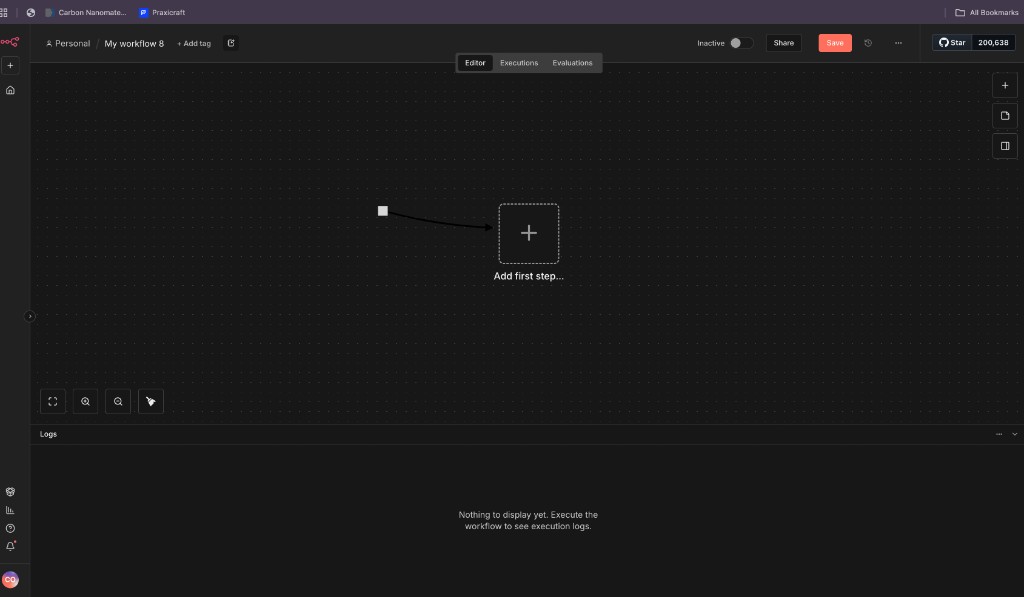
Open n8n and create a new workflow. Click Add first step… on the canvas.
!Empty n8n workflow canvas with Add first step button
2. Open the trigger picker
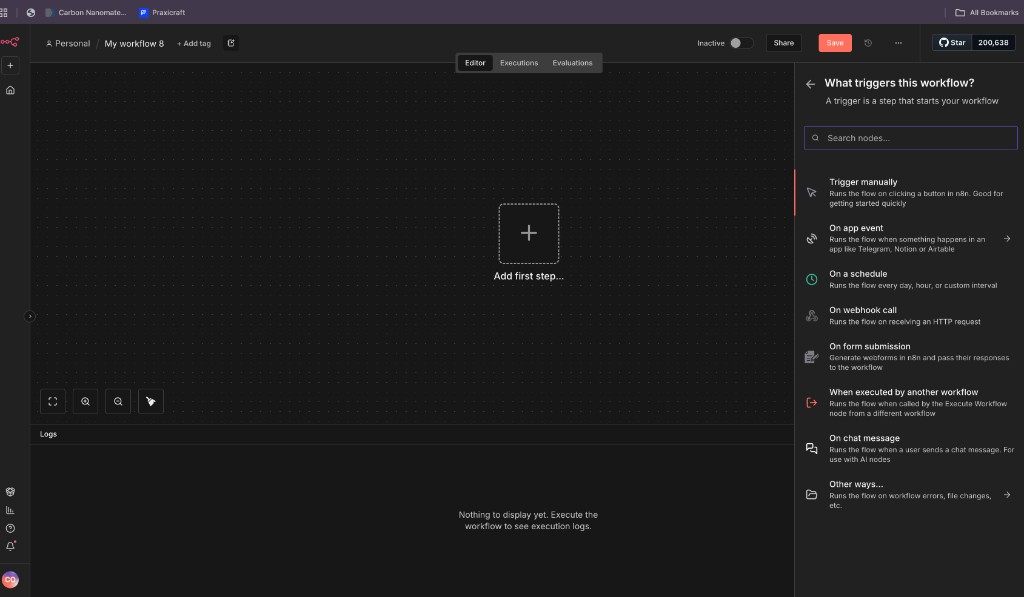
n8n opens What triggers this workflow? Choose On app event (or search for the node directly).
!n8n sidebar asking what triggers this workflow
3. Search for Praxicraft Assess
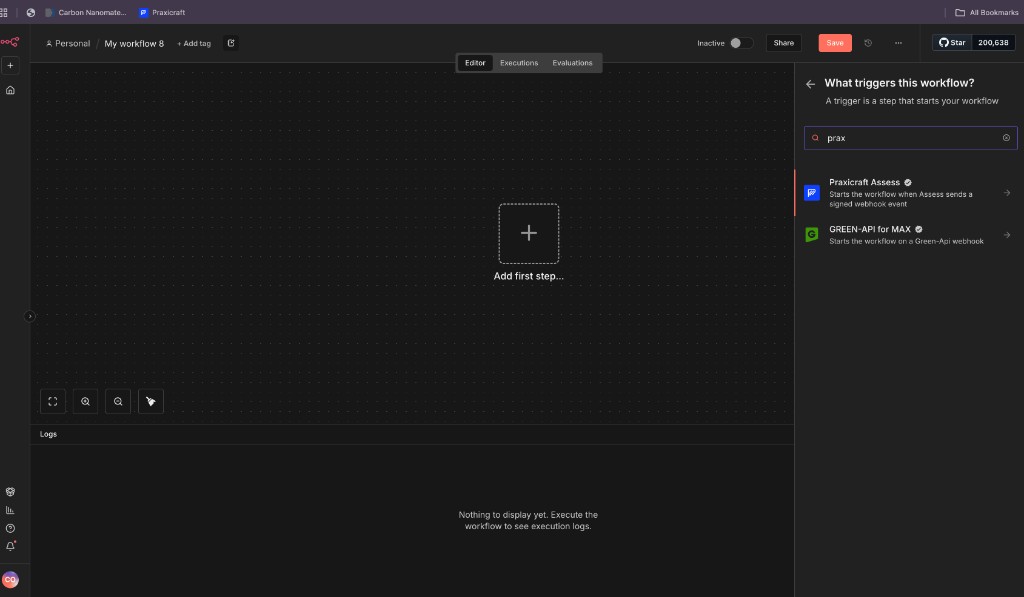
Type prax (or Praxicraft) in the search box. Select Praxicraft Assess. The verified checkmark means it is the official Assess node.
!n8n search for prax showing Praxicraft Assess with verified badge
4. Confirm the verified node
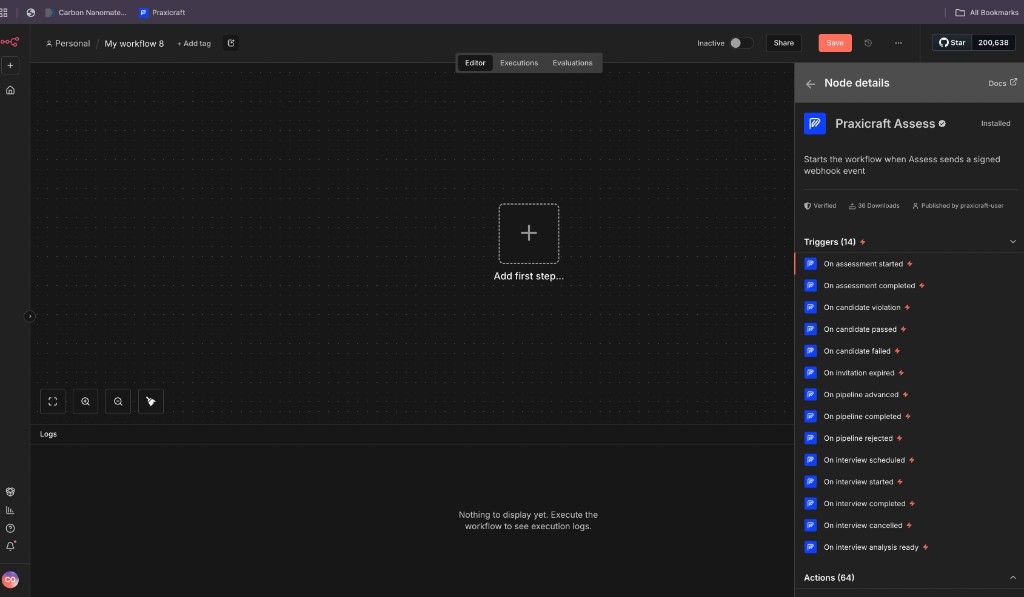
Open the node details. You should see Verified, Installed (or Install), and the list of Assess triggers and actions.
!Praxicraft Assess node details showing verified badge and trigger list
If the node is not installed yet, use Install from this panel (n8n Cloud) or install the package from Settings → Community nodes, then restart if needed.
5. Add credentials
1. Create an API key in Assess (Developer → API Keys).
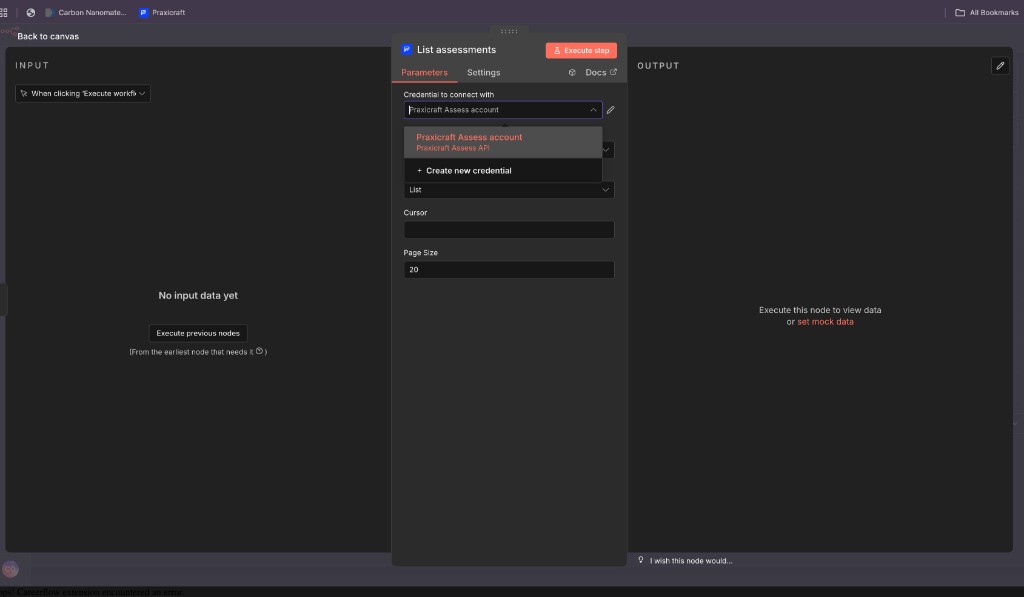
2. On any Praxicraft Assess node, open Credential to connect with → Create new credential.
!n8n List assessments node showing credential dropdown with Create new credential
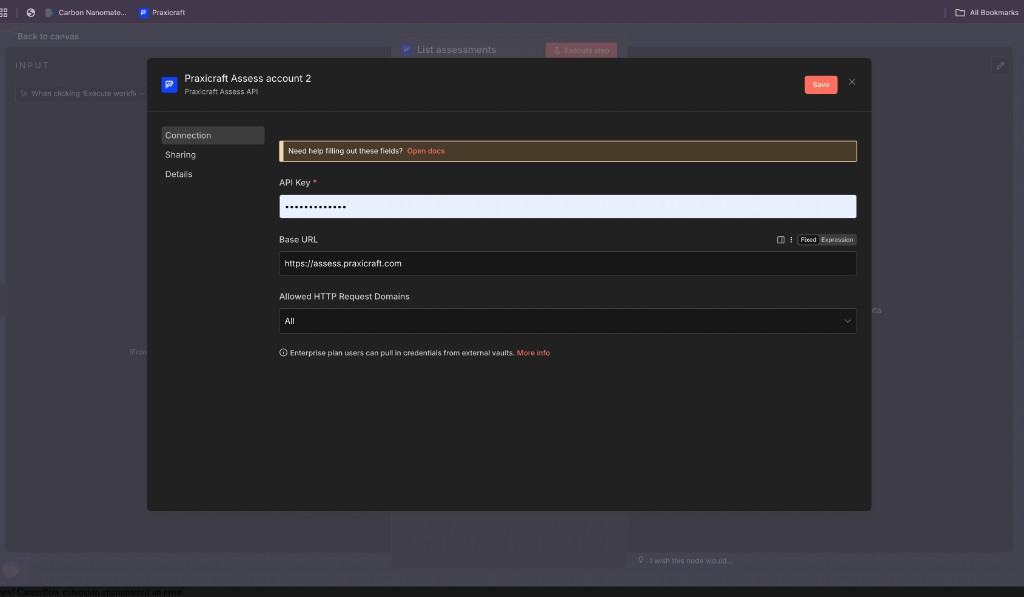
3. Paste your API key. Live keys start with ctlive; test keys start with cttest. Leave Base URL as https://assess.praxicraft.com unless you use a custom host.
4. Save. n8n tests the credential automatically.
!n8n credential form for Praxicraft Assess API with API Key and Base URL fields
6. Build and run
Trigger path: pick an event (for example On candidate passed) → connect Slack, email, or your ATS.
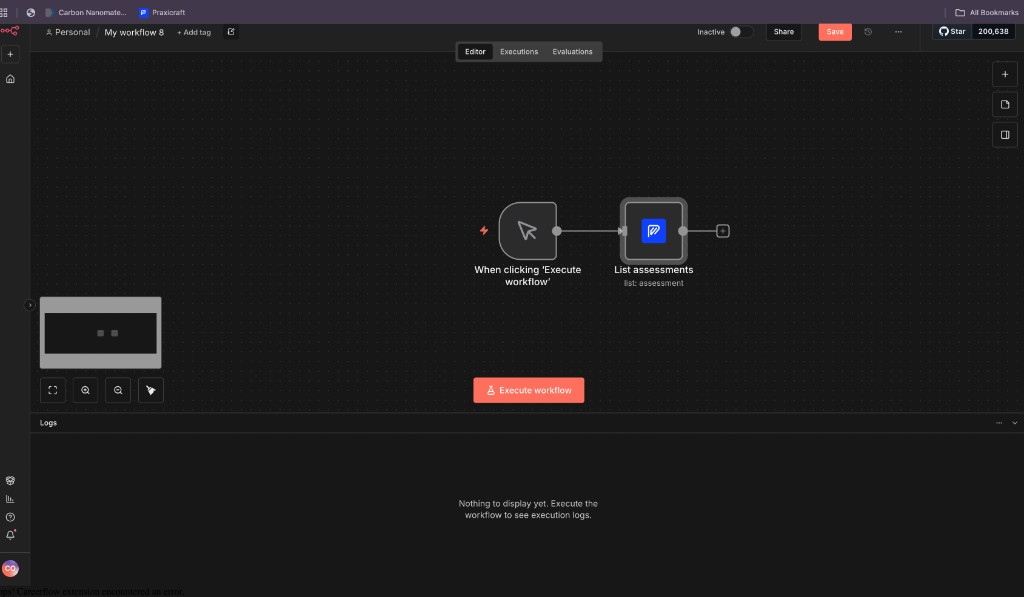
Action path: start from a manual trigger or ATS webhook → add Praxicraft Assess → choose an action such as List assessments.
!n8n workflow with manual trigger connected to Praxicraft List assessments action
7. Activate
Turn the workflow Active. For Trigger nodes, n8n registers a webhook with Assess, runs a test ping, and verifies signatures for you.
—
Authentication
Create an organisation API key in Assess:
Assess → Developer → API Keys → create key → copy ctlive… or cttest… (shown once).
In n8n, add a Praxicraft Assess API credential:
| Field | Value |
|——-|——–|
| API Key | Your ctlive… or cttest… key |
| Base URL | https://assess.praxicraft.com (default) |
Never commit API keys. Prefer a dedicated key for n8n and rotate it if it leaks.
Recommended scopes
| Use case | Scopes |
|———-|——–|
| Invite + notify on results | assessments:read, invitations:write, candidates:read, webhooks:write |
| Pipeline enroll | pipelines:read, pipelines:write, webhooks:write |
Scopes and rotation: Authentication · Scopes
—
What you can do
Praxicraft Assess Trigger
Starts a workflow when Assess delivers a signed event (for example assessment.completed, candidate.passed, pipeline moves, interview lifecycle). Activate the workflow to register the webhook; deactivate to remove it.
Event catalog: Webhooks
Praxicraft Assess (actions)
| Resource | Common actions |
|———-|—————-|
| Assessment | List, Get, Create, Update, Duplicate, List Results, Attach / Replace / Remove Tasks |
| Task | List org tasks, List platform tasks, Create, Get, Update, Delete |
| Invitation | List, Invite, Bulk Invite, Get, Get Result, Remind, Cancel |
| Pipeline | List, Get, Enroll, Bulk Enroll, List / Get Enrollment, Reject, Hold, Unhold |
| Webhook | List, Create, Get, Update, Delete, List Deliveries, Test |
| Organisation | Get, Stats, List Team, Squads, Audit Log |
| Interview | List, Create, Bulk Create, Get, Cancel, Reschedule, Analysis, Replay, Share, Templates |
| Integration | List, Get Connect URL, Test |
Create and update steps use form fields. Bulk invite and enroll use a candidates list. Dropdowns cover assessments, tasks, invitations, pipelines, and more — you can still map an id from a previous step.
—
Example workflows
Invite a candidate
1. Resource Invitation → Invite
2. Set assessment, email, optional name
3. Enable Send Email if Assess should mail the take link
Notify Slack when someone passes
1. Trigger On candidate passed
2. Add a Slack (or email) step with the candidate name and score from the event payload
Act on completion
1. Trigger on assessment.completed (payload includes invite_token)
2. Action Invitation → Get Result with that token
More recipes: Automations · praxicraft-assess-examples
—
Troubleshooting
| Symptom | Fix |
|———|—–|
| Credential test fails | Add organisation:read or use full-access scopes |
| Trigger never fires | Workflow must be Active; webhook must verify |
| 403 INSUFFICIENT_SCOPE | Widen key scopes — Scopes |
| Node missing in search | Install @praxicraft/n8n-nodes-assess and refresh / restart n8n |
| Signature failures | Do not rewrite the raw request body in a proxy |
Error codes: Errors
—
Requirements & support
Contributors and maintainers: see CONTRIBUTING.md.
—