Description
n8n-nodes-pdfmint
Turn HTML, Markdown or a URL into a PDF and get the file back on the same node.
No template editor. No template IDs to copy out of a web app. No second HTTP Request
node to fetch the file. No container to self-host.
Seven published n8n templates built on this node — all openable from inside n8n:
PDF invoices from webhook
requests,
Stripe payment receipts with Gmail and
Drive,
Weekly web page snapshot
archive,
Form submissions to branded PDF
reports,
Overdue invoice statements from
Xero,
Weekly AR ageing reports with Invoice
Ninja,
and Markdown to branded PDFs with a table of
contents.
More on pdf.mintapis.com/n8n-templates.
One more, Regional sales reports from CRM
exports,
is listed here for completeness but is built on the sibling node
n8n-nodes-docmint, not on this one.
PDFMint is the API behind it.
The free plan is 10 documents a month and needs no card — enough to wire the node up and see a
real PDF. Anything recurring needs Starter, at $9 a month for 5,000 documents.
—
Install
> Installs on n8n Cloud and self-hosted. The node passed n8n’s verification and is
> published as a verified community node. n8n serves whichever version it has verified
> most recently, which can trail the latest npm release by a day or two.
>
> n8n Cloud: open any workflow → add node → search PDFMint under Community nodes.
>
> Self-hosted, from the n8n UI
Settings → Community Nodes → Install → n8n-nodes-pdfmint
Self-hosted, from the CLI
cd ~/.n8n/nodes
npm install n8n-nodes-pdfmint
Then restart n8n.
The package is published from
this repository’s GitHub Actions workflow with an npm
provenance attestation, so npm audit signatures can verify which commit built it.
See a real PDF before you sign up
There is a demo endpoint that needs no account and no key. Paste this into a terminal
and you get a real PDF file back:
curl -X POST https://pdf.mintapis.com/v1/demo/pdf
-H 'content-type: application/json'
-d '{"html":"Hello
Rendered by PDFMint.
"}'
-o hello.pdf
It answers 200 application/pdf. Open hello.pdf — that is the same renderer the node
uses. It is rate limited per IP and is meant for exactly this: checking that the output
is what you want before you hand over an email address.
Credential
1. Create an account at
immediately — no email confirmation, no card.
2. In n8n, add a PDFMint API credential and paste the key. It starts with pmlive.
3. The credential tests itself against GET /v1/me, so you know straight away whether it works.
Operations
| Operation | What it does |
|—|—|
| Generate PDF | Render HTML, Markdown, a URL or a saved template as a PDF |
| Generate Image | Render the same sources as a PNG or JPEG |
| Merge PDFs | Join the PDFs on several input items, or several URLs, into one document |
| Get Usage | Read the plan, quota and documents remaining on the account |
The node is marked usableAsTool, so an n8n AI Agent can call it directly — give the
agent the node and it can produce a PDF as part of its own reasoning.
Quick start — an invoice from workflow data
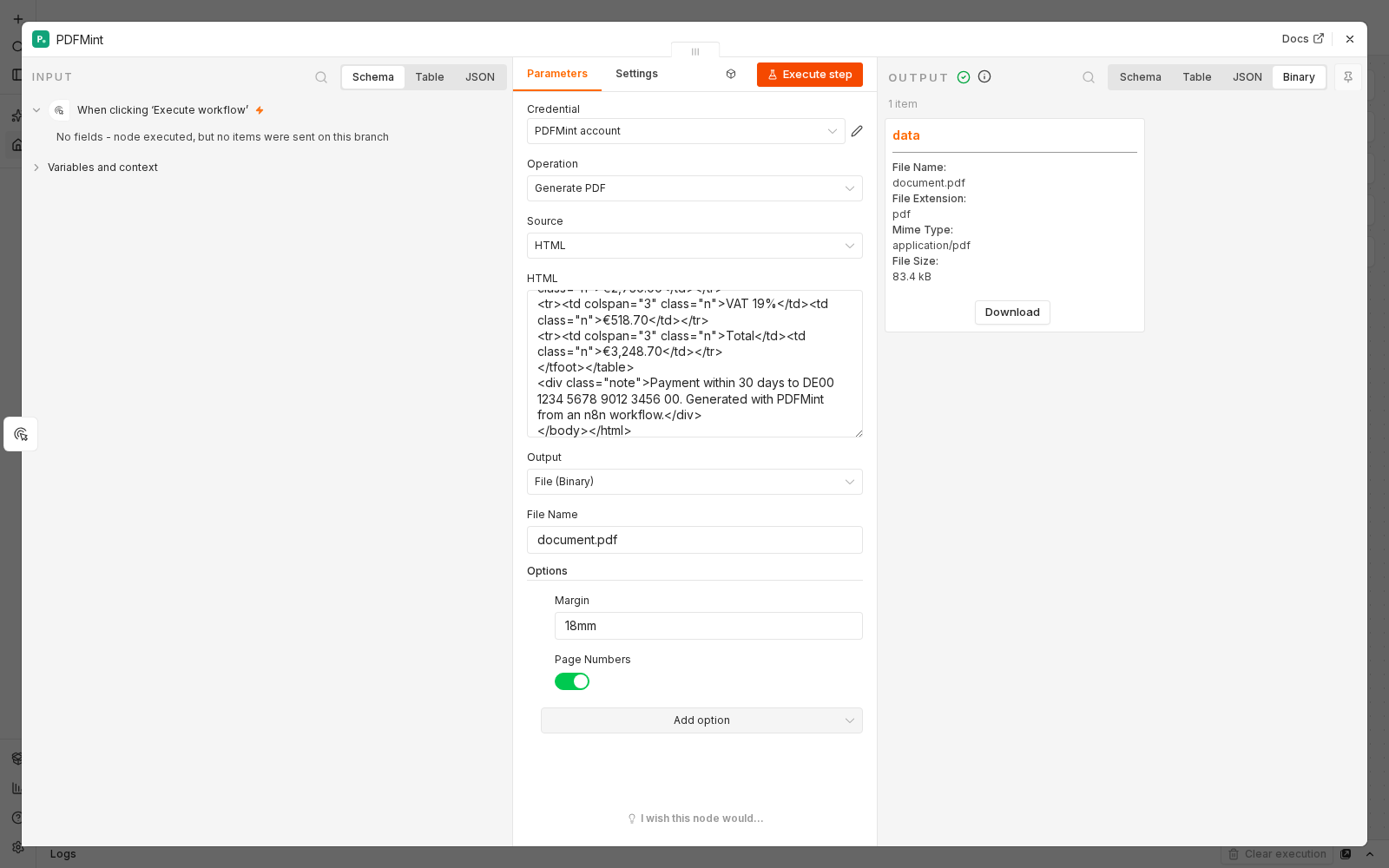
Drop a PDFMint node after whatever produces your data and set:
- Source:
HTML - HTML: an expression that yields your markup, for example
{{ $json.invoiceHtml }}
18mmExecute the node. The output item carries the PDF in the data binary field, ready for
Gmail, Google Drive, S3, Slack or an HTTP Request — no extra download step.
Markdown in, typeset document out
Set Source to Markdown and pass Markdown straight through. This is the short path
when an LLM node upstream produced the content:
{{ $json.output }}
PDFMint applies a print stylesheet for you: tables that do not split a row across a page
break, headings that do not orphan at the bottom of a page, code that wraps instead of
clipping, and bundled fonts that cover Latin, CJK and emoji.
Placeholders that do not fail silently
Any source can carry {{placeholder}} markers filled from Placeholder Data:
Invoice {{number}}
For {{customer.name}}
{{#lines}}{{desc}} {{amount}} No items.
{{/lines}}
If a placeholder has no matching value, the node tells you: the output item carries a
warning naming every unresolved placeholder. Turn on Strict Placeholders to make it
fail the item instead. It never quietly hands you a blank page.
Options
Everything below lives under Options and is optional.
| Option | Default | Notes |
|—|—|—|
| Page Format | A4 | A3, A4, A5, Letter, Legal, Tabloid, Ledger |
| Orientation | Portrait | |
| Margin | 12mm | A CSS length such as 20mm, 0.5in, 24px, applied to all four sides |
| Margin Top / Right / Bottom / Left | — | Override a single edge; the other three keep the Margin value |
| Page Numbers | off | Adds a centred footer and reserves the bottom margin so it is never clipped |
| Page Number Format | Page {page} of {total} | |
| Header HTML / Footer HTML | — | Repeated on every page; the matching margin is reserved automatically |
| Print Background | on | Chrome omits background colours by default; PDFMint prints them |
| Scale | 1 | 0.1–2. Use 0.8 to fit a wide table |
| Page Ranges | — | e.g. 1-3, 8 |
| Media Type | print | Switch to screen when your CSS was written for the browser |
| Prefer CSS Page Size | off | Let an @page rule win over Page Format |
| Wait For | — | Milliseconds, a CSS selector, or networkidle — for charts and late web fonts |
| Timeout | 30000 ms | Up to 120000 |
| Password | — | AES-256 encryption, included on every plan |
| Watermark Text | — | Stamped diagonally across every page, sized to fit |
| Watermark Opacity / Colour | 0.18 / #9AA3B2 | |
| Return Debug Info | off | Also returns the HTML that was actually rendered and any page JS errors |
| Webhook URL (Async) | — | Render in the background and POST the result to this URL instead of waiting |
| Title / Author | — | Written into the PDF metadata |
| CSS | — | Extra CSS on top of the Markdown stylesheet |
| Google Font | — | e.g. Playfair Display:wght@400;700 |
| Placeholder Data | — | Values for {{placeholders}} |
| Strict Placeholders | off | Fail instead of rendering an unresolved placeholder empty |
| Put Output File in Field | data | Binary field name |
| URL Expires After (Minutes) | 60 | Only for the Hosted URL output |
Output modes
| Output | You get |
|—|—|
| File (Binary) — default | The PDF attached to the item. fileName, pages, durationMs and creditsRemaining are on json. |
| Hosted URL | JSON with a temporary link, valid up to 7 days |
| Base64 in JSON | The bytes as a base64 string |
Merging
Set the operation to Merge PDFs. With All Input Items, the node takes one PDF from
each incoming item — so a Split In Batches loop that generates several documents can be
joined by connecting it straight into this node. With List of URLs, paste one public
PDF URL per line.
Merge runs once for the whole branch, not once per item.
Long documents
Most documents finish in well under a second, and the synchronous path allows up
to 120 seconds. For anything longer, set Options → Webhook URL (Async) to the
Production URL of a Webhook node. The PDFMint node then returns a job ID
immediately and PDFMint POSTs
{ "jobid": "job...", "status": "succeeded", "url": "https://…/f/…", "pages": 12, "size": 481203 }
to your webhook when the document is ready, retrying three times with backoff.
Jobs are stored in the database, not in memory, so a restart cannot lose one.
GET /v1/jobs/{id} reports the status either way.
When the PDF comes out wrong
Turn on Options → Return Debug Info. The output item then also carries the
HTML that was actually rendered — after placeholders were filled and after the
browser parsed it — plus any JavaScript errors the page threw. That is usually
enough to see the problem without guessing.
Errors
The API answers failures with a machine code, a sentence, and a concrete hint. The node
puts the sentence in the error title and the hint plus a docs link in the description, so
the red box in n8n tells you what to change rather than Request failed with status 400.
Turn on Settings → Continue On Fail to route bad items down the error branch instead.
The failed item carries the API’s own fields, so an IF node can branch on $json.error.code:
{
  "error": {
    "code": "invalidapikey",
    "message": "This API key is not valid, or it has been revoked.",
    "hint": "…",
    "docs": "https://pdf.mintapis.com/docs#authentication",
    "request_id": "51e5390e4107f566",
    "httpCode": "401"
  },
  "errorMessage": "This API key is not valid, or it has been revoked."
}
ratelimited (429), rendererbusy (503) and the 502s are all worth retrying — turn on
Settings → Retry On Fail and n8n handles them for you.
Limits
| | |
|—|—|
| Max HTML | 10 MB |
| Max request body | 12 MB |
| Max render timeout | 120 s |
| Hosted file lifetime | up to 7 days |
| Merge inputs | 50 per call |
| Requests per minute, per account | 120, with a burst of 30 |
Pages behind a login are not reachable — PDFMint renders on its own servers, so fetch
those in your workflow and pass the HTML instead. Private and link-local addresses are
refused.
Pricing
| Plan | Price | Documents / month |
|—|—|—|
| Free | $0 | 10 |
| Starter | $9 | 5,000 |
| Pro | $29 | 50,000 |
| Scale | $99 | 250,000 |
Images and merges each count as one document. The free plan is permanent and needs no card, but at
10 documents a month it is sized for trying the node out rather than running a workflow. Checkout
for a paid plan runs on Stripe, where a VAT ID can optionally be added to the invoice.
Links
Reading email rather than writing PDFs? That is the opposite job and a different node:
n8n-nodes-mailmint, by the same author —
an inbound address or an IMAP mailbox in, structured JSON out, with the message’s own SPF,
DKIM and DMARC verdict attached. It has passed n8n’s verification too, so it installs on n8n
Cloud as well as self-hosted.
Filling Word, Excel or PowerPoint templates from JSON is
n8n-nodes-docmint.
Compatibility
Built and tested against n8n 2.35 on Node.js 20 and 22. The package has **zero runtime
dependencies** — it is a thin HTTP client.