Description
n8n-nodes-anthropic-structured
An n8n community chat-model node that wraps Anthropic Claude and exposes Anthropic’s constrained-decoding structured-output API (output_config.format) as a first-class option. Set a JSON Schema, and the model is guaranteed to return schema-conformant JSON — no prompt-injected formatting instructions, no optional tool the model can ignore.
A drop-in alternative to n8n’s built-in Anthropic Chat Model for any workflow that needs reliable structured output.
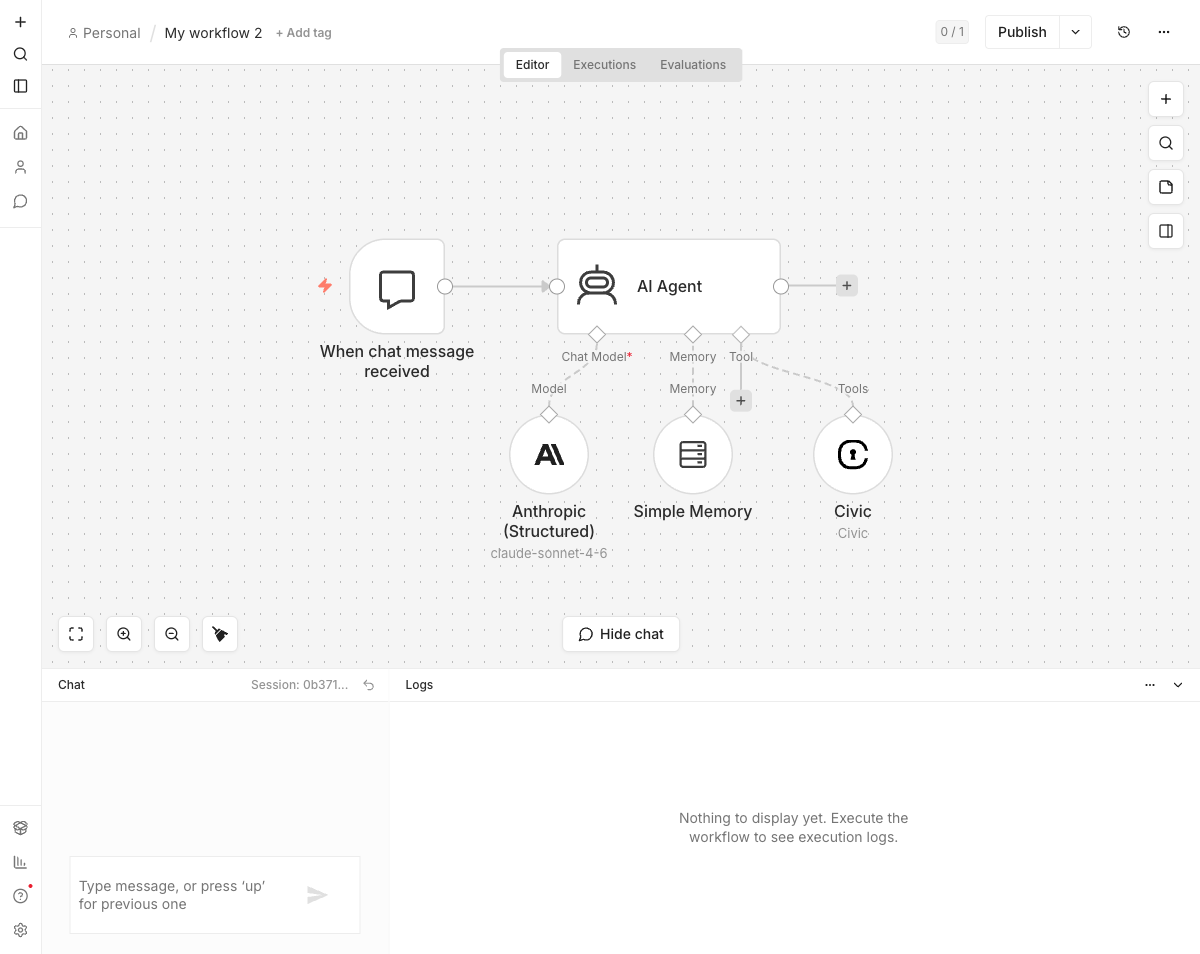
!Anthropic (Structured) wired into an AI Agent alongside Memory and a Civic tool
Why this exists
n8n’s stock Anthropic node uses LangChain, which (as of early 2026) implements structured output via the legacy tool-use trick — define a synthetic formatfinaljson_response tool and hope the model calls it. This is unreliable on medium-complex schemas: the model can produce free-form text, or call the tool with malformed args, or ignore it entirely.
Anthropic shipped real constrained decoding — outputconfig.format with type: "jsonschema". The schema is enforced at the sampling layer: every emitted token has to match. LangChain hasn’t picked this up yet. This node does.
Installation
In your n8n instance:
1. Go to Settings → Community Nodes
2. Click Install a community node
3. Enter n8n-nodes-anthropic-structured and accept the risk acknowledgement
Setup
1. Create or open a workflow.
2. Add an AI Agent, Basic LLM Chain, or any node with an ai_languageModel input.
3. On the Chat Model input click +, search Anthropic (Structured).
4. Configure an Anthropic API credential (x-api-key header — get a key at console.anthropic.com).
5. Pick a Claude model (4.5+ — only those support output_config.format).
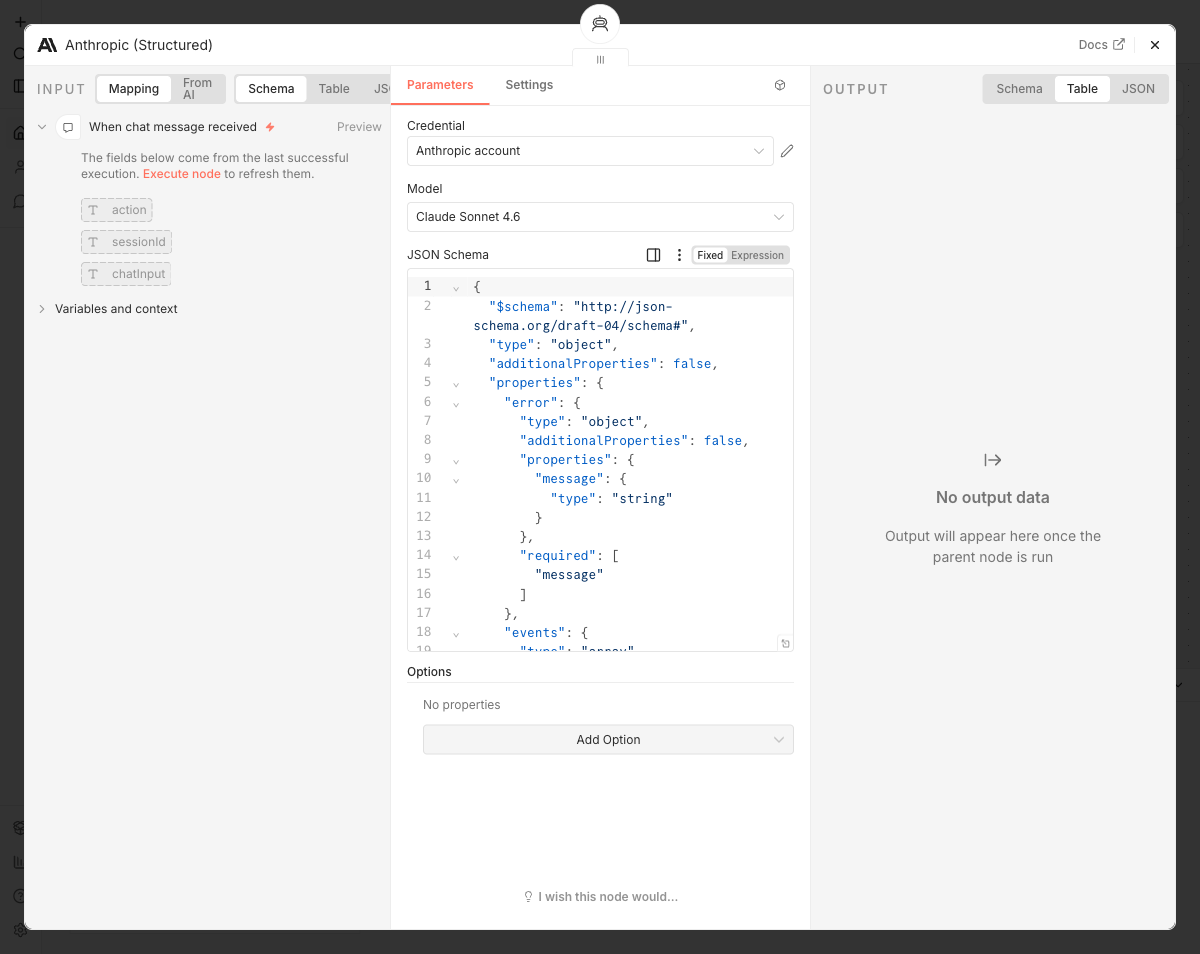
6. (Optional) Paste a JSON Schema into the JSON Schema field. When non-empty, every response is constrained-decoded against that schema.
!Node configuration showing the JSON Schema field
With and without tools
- Without tools (Basic LLM Chain): the single response is JSON-schema conformant. Standard use case.
- With tools (AI Agent + tool nodes): intermediate agent rounds emit
tool_useblocks as normal; the model’s final answer is the schema-conformant JSON. Anthropic explicitly supports this composition. - Claude Opus 4.7 / 4.6 / 4.5
- Claude Sonnet 4.6 / 4.5
- Claude Haiku 4.5
- Extends
BaseChatModelfrom@n8n/ai-node-sdk - Implements
generate()/stream()by POSTing tohttps://api.anthropic.com/v1/messagesdirectly - Maps n8n’s
Message/MessageContenttypes to Anthropic’s request shape (system messages extracted to the top-levelsystemfield,tool-call/tool-resultcontent blocks translated to Anthropic’stooluse/toolresult) - Tools bound by the agent via
withTools()are sent as Anthropic tool definitions;input_schematypeis backfilled to"object"when missing so Anthropic accepts schemas like{}from tools without parameters - When
jsonSchemais set, includesoutputconfig: { format: { type: "jsonschema", schema } } - API Key — your Anthropic API key (sent as the
x-api-keyheader along withanthropic-version: 2023-06-01) - n8n
>= 2.19 - Self-hosted and (once verified) n8n Cloud
- Zero third-party runtime dependencies
Supported Claude models
Earlier Claude models don’t support output_config.format and aren’t listed in the model picker.
How it works
Verified-community-node compliant — uses only @n8n/ai-node-sdk and standard fetch, no third-party SDKs in the published bundle:
See nodes/AnthropicStructured/helpers.ts for the conversion functions (covered by vitest tests).
Credentials
The Anthropic API credential takes a single field:
The credential test issues a GET /v1/models against the Anthropic API.
Compatibility
Development
pnpm install      # install deps
pnpm lint         # n8n's community-node lint suite
pnpm test         # vitest unit tests
pnpm build        # compile TypeScript and copy static files into dist/
pnpm dev          # run a local n8n with this node loaded (hot reload)
CI runs lint + tests + build on every push and PR. Releases are triggered by pushing a version tag (e.g. 0.1.1); GitHub Actions then publishes to npm with a provenance attestation.