
Description
n8n-nodes-wordstat
🇺🇸 English | 🇷🇺 Русский


Custom n8n node for working with Yandex Wordstat API.
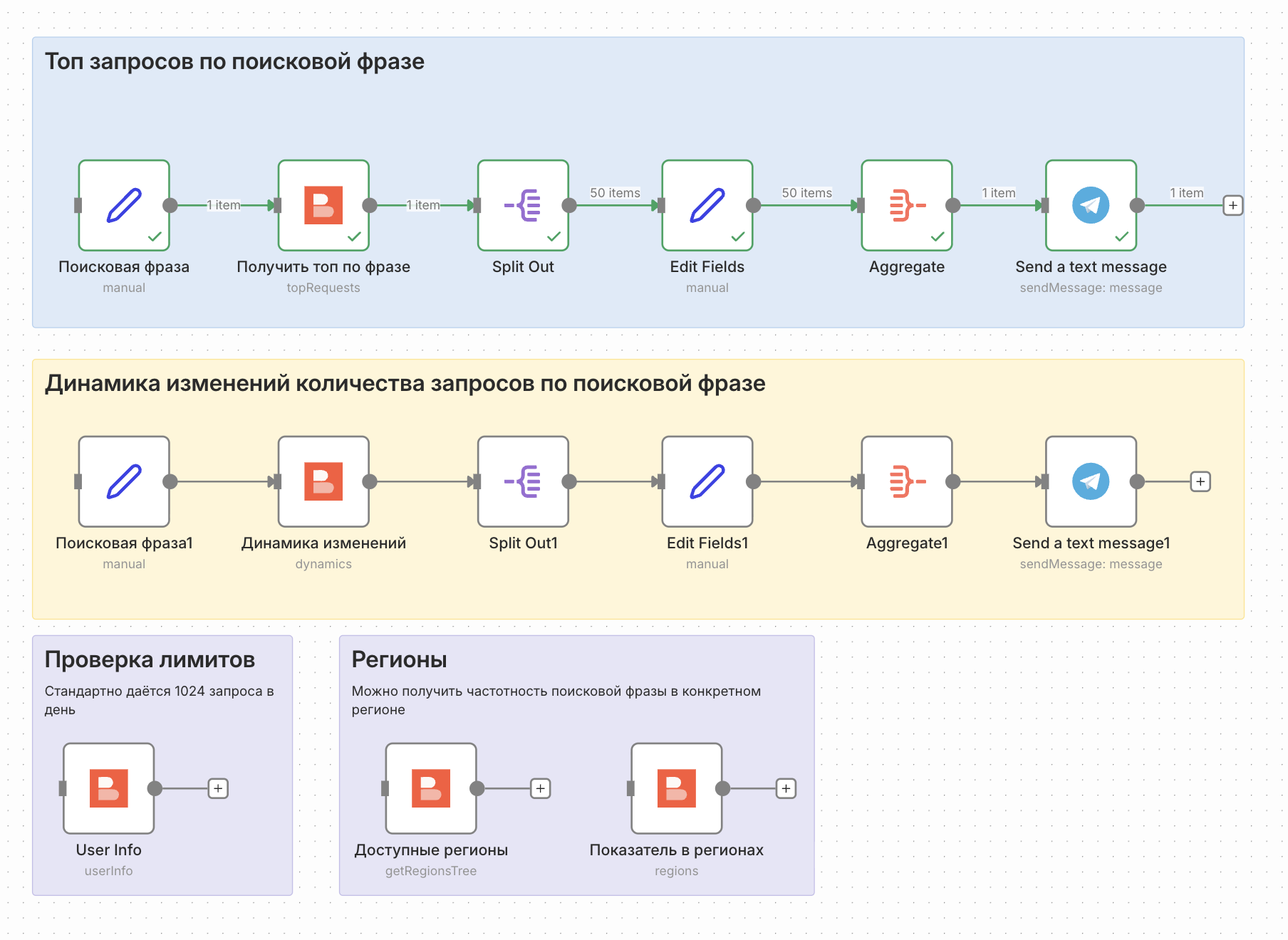
Why this node was created: Yandex Wordstat is a powerful tool for keyword research and search query analysis. This custom node allows you to integrate Wordstat data directly into your n8n workflows, enabling automated keyword research, market analysis, and SEO optimization tasks.
🌟 Supported Features
- Get Regions Tree – Get the tree of regions
- Top Requests – Get popular requests
- Dynamics – Get request dynamics over time
- Regions – Get request distribution by regions
- User Info – Get current user limits and quota
📦 Quick Installation
Via Community Nodes (recommended)
- Open n8n
- Go to Settings > Community Nodes
- Click Install
- Enter
n8n-nodes-wordstat - Click Install
Via Local Development / Run
- Clone the repository
- In the repository, run the following commands:
npm install
npm run build
npm link
- In your locally running n8n:
npm i -g n8n # if not already installed

# If you've never run n8n on your system before - run it with "n8n" command
# This will create a .n8n folder in your home directory

cd ~/.n8n
mkdir custom && cd custom
npm init -y
npm link n8n-nodes-wordstat

# Start n8n
n8n
🔑 Setup
- Get access to Yandex Wordstat API
- Get Yandex OAuth Token at Yandex OAuth
- In n8n create a credential of type Wordstat API
- Enter your OAuth Token
- Make sure you have access to Yandex Wordstat API
📚 Documentation
- Yandex Wordstat API Documentation
- How to get access to Yandex Wordstat API
- Yandex OAuth
- How to get OAuth token
- n8n Community Nodes
⚠️ Disclaimer
[!WARNING]
This is a hobby project that does not claim stability. Use at your own risk. The author is not responsible for any problems related to the use of this node.
Security Requirements:
- Never publish OAuth Token in public access
- Use HTTPS for all API requests
- Regularly check logs for suspicious activity
- Make sure your activities comply with applicable laws
🤝 Contributing
Contributions are welcome! See the code of conduct for behavior rules.
- Fork the repository
- Create a branch for your changes
- Make changes and test them
- Create a Pull Request
💬 Support and Contact
- Author: https://t.me/vlad_loop
- Issues: GitHub Issues
- Community Nodes: n8n Community
📄 License
MIT License – see LICENSE for details.